
banner

Elementor Timeline Widget – Create Engaging Chronological Content

img

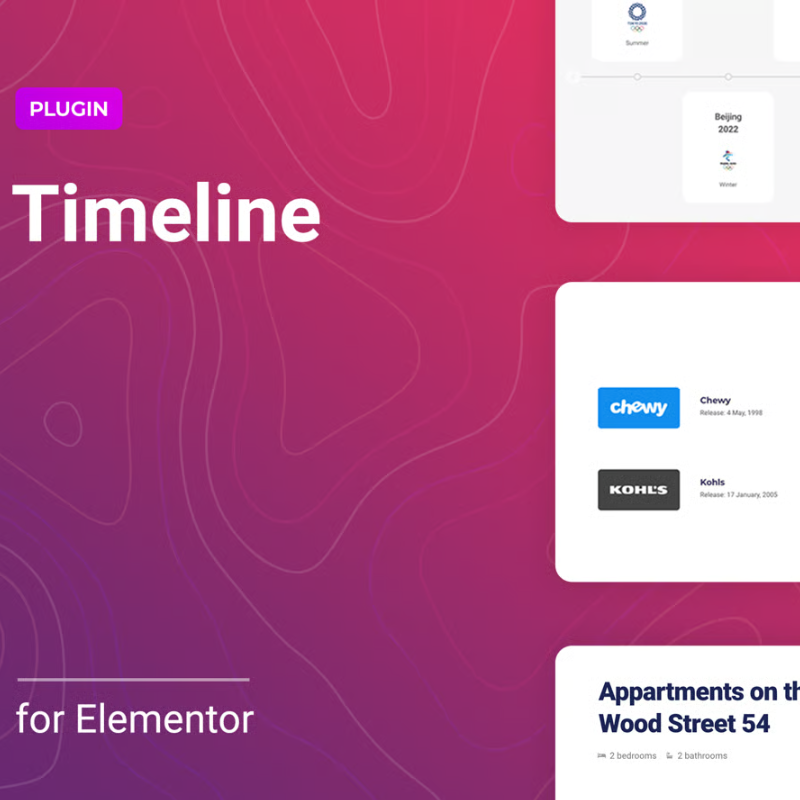
Transform the way you present chronological information on your Elementor website with our powerful and intuitive Elementor Timeline Widget. This essential add-on is designed to help you create stunning, interactive timelines that captivate your audience and effectively convey your story, history, or process.

Whether you’re looking to display your company’s journey from inception to present day, outline project milestones, showcase a product’s development, or detail historical events, the Elementor Timeline Widget provides all the tools you need. Say goodbye to static, boring text and hello to dynamic, engaging visual narratives that keep your visitors hooked.

<

Key Features & Benefits:

  • Effortless Integration: Seamlessly integrates with your existing Elementor workflow. Drag and drop the widget onto any page or post and start building your timeline instantly.
  • Fully Customizable Layouts: Choose from various timeline layouts (vertical, horizontal) and customize every aspect, including colors, fonts, icons, dates, and content alignment, to match your brand’s aesthetic.
  • Rich Content Options: Add text, images, videos, and even shortcodes within each timeline event, allowing for diverse and engaging content presentation.
  • Interactive Animations: Enhance user experience with smooth scroll animations and entry effects that bring your timeline to life as users navigate your page.
  • Responsive Design: Your timelines will look perfect on any device, from desktops to tablets and smartphones, ensuring a consistent and professional appearance for all your visitors.
  • Icon & Image Support: Assign unique icons or images to each timeline point to visually represent events and make your timeline more intuitive and attractive.
  • SEO-Friendly: Structure your chronological content in an organized and accessible way, which search engines appreciate, potentially boosting your site’s visibility for relevant queries.
  • No Coding Required: Create sophisticated timelines without writing a single line of code. Perfect for beginners and advanced Elementor users alike.

Use Cases:

  • Company History: Showcase your organization’s growth, achievements, and key moments.
  • Project Milestones: Detail project phases, progress, and important deadlines.
  • Product Development: Illustrate the journey of your product from concept to launch.
  • Event Schedules: Present conference agendas, festival lineups, or workshop schedules.
  • Educational Content: Explain historical periods, scientific processes, or biographical information.
  • Personal Portfolios: Display career achievements, creative projects, or personal growth.

Elevate your Elementor website with the Timeline Widget and provide your audience with an engaging, memorable, and easy-to-understand chronological experience. Increase user retention, improve content readability, and make your website stand out from the competition.

There are no reviews yet.

Add a Review
Comment
Your rating
Loading...

Product Location

wahcantt

At Artteches, we aim to provide high-quality digital products and services to our customers. However, if you are not satisfied with your purchase, our refund policy ensures a fair and transparent process.

Due to the nature of digital products, refunds are generally limited and granted only under specific conditions. Once a product is downloaded or accessed, it is considered delivered and non-returnable.


Eligibility for Refund

You may request a refund only if:

  • The product is not working as described
  • You received a broken or corrupted file
  • You were charged multiple times for the same product
  • The product was not delivered after purchase

Non-Refundable Cases

Refunds will NOT be issued in the following cases:

  • Change of mind after purchase
  • Incorrect purchase by mistake
  • Lack of technical knowledge to use the product
  • Downloaded or accessed digital products
  • Services already delivered or started

Refund Request Process

To request a refund, please contact our support team within 3–7 days of purchase with:

  • Order ID
  • Payment proof
  • Reason for refund request

Our team will review your request and respond as soon as possible.


Processing Time

Approved refunds may take 5–10 business days to process depending on your payment method.


Contact Us


If you have any questions about our refund policy, please contact:
Artteches Support Team

Product Enquiry

Your personal data will be used to support your experience throughout this website, to manage access to your account, and for other purposes described in our privacy policy

Enhance your Elementor website with the dynamic Timeline Widget, perfect for showcasing chronological events, company history, project milestones, or step-by-step processes. This SEO-friendly add-on allows you to create visually appealing and interactive timelines directly within Elementor, without any coding. With customizable layouts, icon options, and smooth animations, the Elementor Timeline Widget improves user engagement and makes complex information easy to digest. Ideal for businesses, educators, and storytellers, it helps organize content effectively, boosting both user experience and search engine visibility. Integrate stunning timelines effortlessly into your pages and posts, attracting more visitors and keeping them engaged longer on your site.

  • Downloads:
    44
  • Released On:
    16 February 2021
  • Version:
    1.0
  • Compatibility:
    WordPress 5.7.x,
  • Framework:
    Elementor

Report Abuse